Reverse Engineering Electronics
NAVIGATING THE COURSE NOTES: At the end of each lesson page, mark that lesson as complete.
To earn 100% Completion, every page must be marked “completed” so it is counted in the calculations.

Table of Contents
Save Files
Download the presentation slides as a PDF in case you lose internet access or to provide logbook entries & note-taking pages.
REVERSE ENGINEERING 10 MIN
With electronics, the amount of background knowledge that contributes to each piece can easily overwhelm the practical (physical) act of assembling the whole project. Starting with a finished product and working back through its assembly helps spark ideas.
Reverse engineering can prompt developers to relearn or refresh knowledge on a relevant topic.
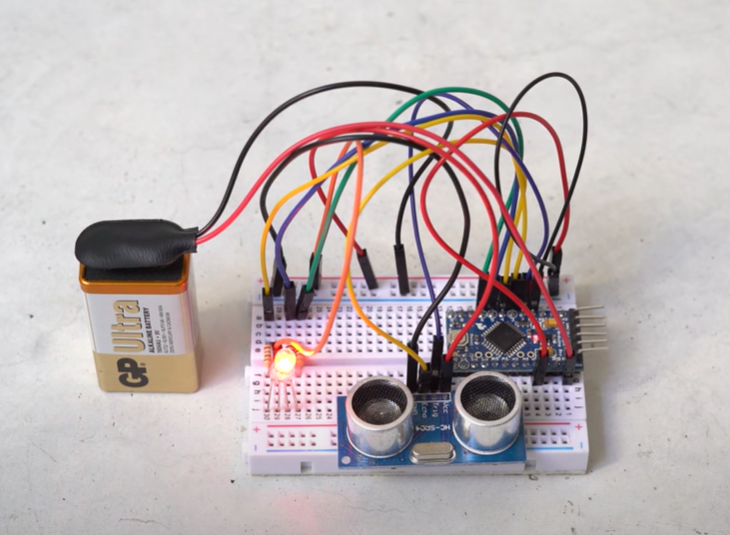
EXAMPLE: Tracing wires from the GND pin back to its source in the LED cathode (long leg) might prompt a sudden understanding of WHY those wiring paths are called “traces.”
Wait, what is a cathode? “An LED cathode leg should be connected towards the ground or negative side of the driving voltage source, and the anode leg toward the positive side.”
If you already understand the concept of reverse engineering, skip down to the beginning of this mini-course. For a review, click the image below for a wonderful “Eye on Tech” 4-minute video.

Start with the end goal and work backwards through the design process. Assess your current knowledge, refresh understanding of old subjects like electricity, and use ideas like mechatronics and reverse engineering to spark new ideas! What are the drone gate challenge requirements?

“What are drones?” will be addressed in the Ask & Learn session. This session focuses on the gates.
MECHATRONICS 7MIN
SPEED ROUND 30+MIN
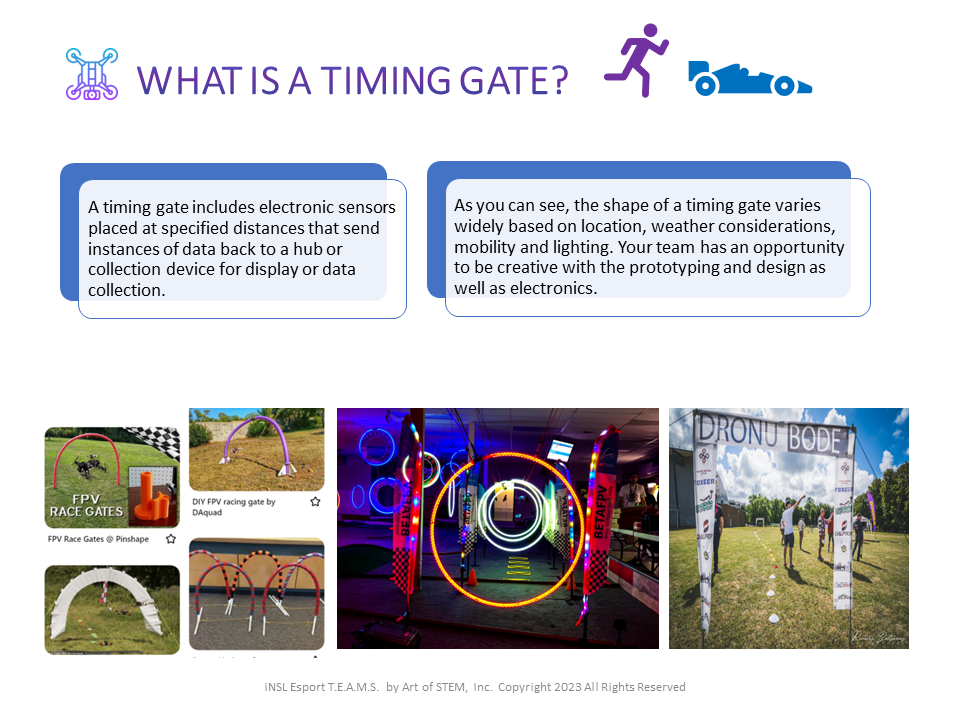
Like the drone itself, timing gates are also a combination of systems, mechanical, and electrical engineering plus prototyping and product development. Asking the right questions (and there are no wrong questions) is the key to a great design.
What are timing gates? Why are they used? How do they work? This session will introduce timing gates and the electronics that make them useful tools for tracking drones, cars & people.
Tracking Systems
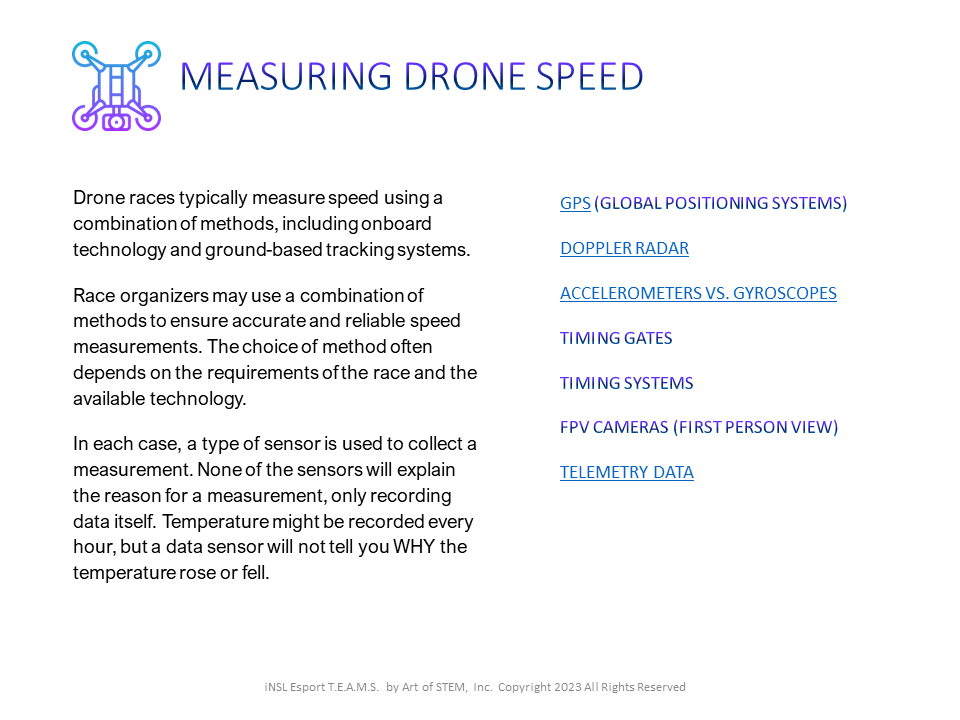
Measuring Speed
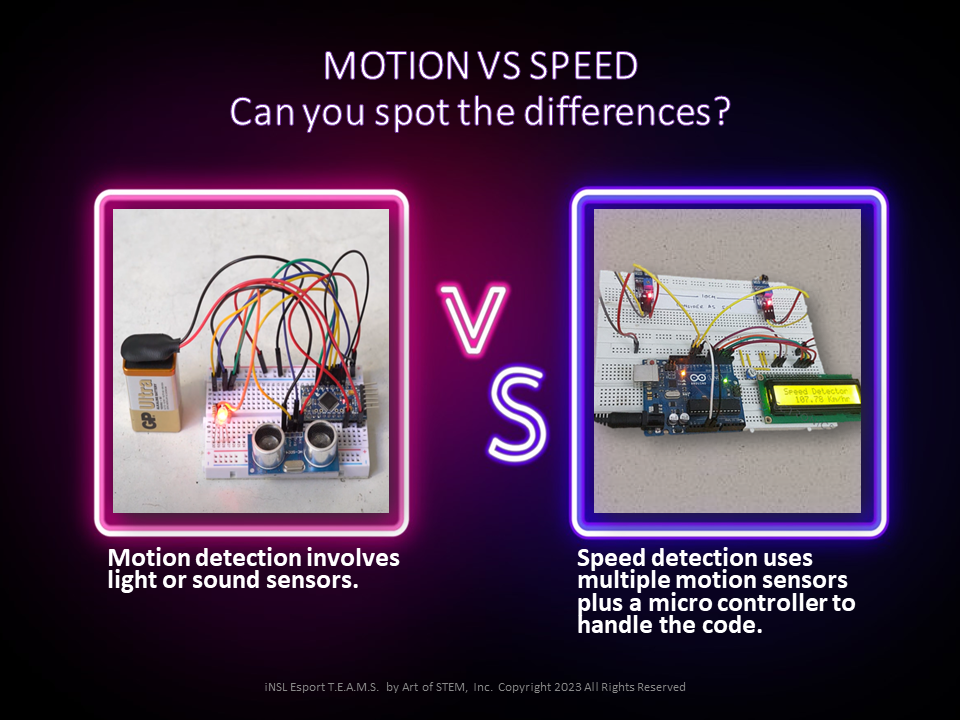
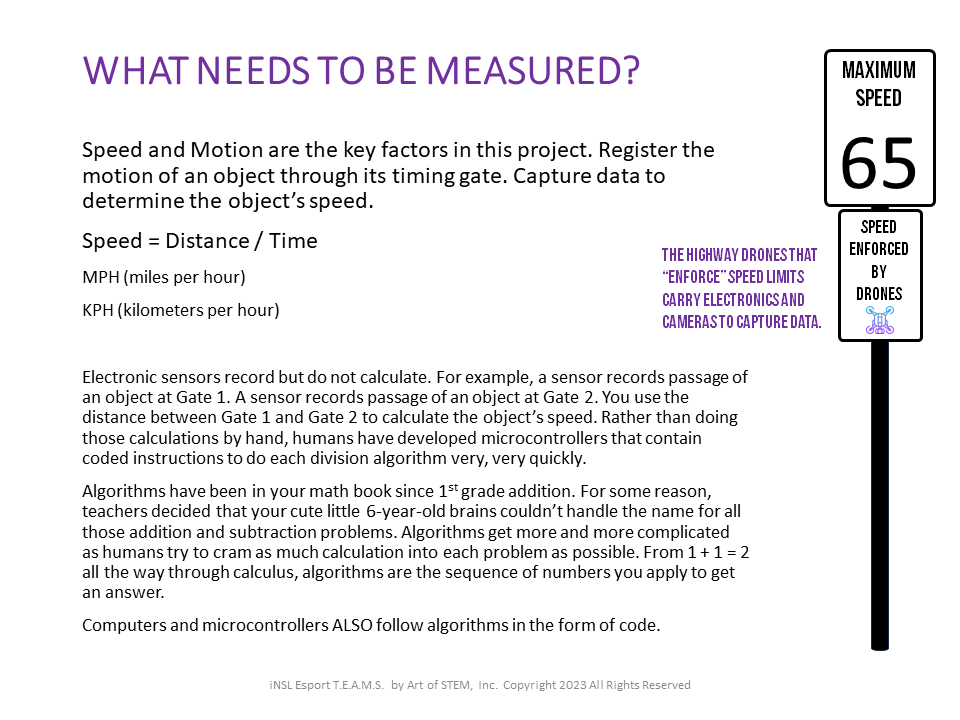
Gates at the beginning and end of a race mark time, and the code takes care of math behind the scenes. Several sensors on the course capture the passage of a drone (like a motion detector that flips the light switch on your porch when someone approaches the door).
The sheer speed of drone flight makes calculating by hand or stopwatch impossible. Your reactions will not accurately capture the start and end of a flight. Code & electronics are needed when dealing with split second finishes.

Take a minute to discuss what you learned in the first section of this micro-course. Ask every team member to open logbooks with the following information:
(1) Ask TWO questions.
(2) List vocabulary to review later!
When you are ready to continue, dive into the Electronics half of this micro-course to look at Arduino, Micro:bit and Raspberry Pi converst.
ELECTRONICS 45+MIN
Sensors collect data but do not make decisions or calculations. They must be connected to a control system and power source. You will use pinboards or wire traces or conductive tape to create circuits that include sensors and other components.
LOGBOOK: What components do you recognize in the two images below?
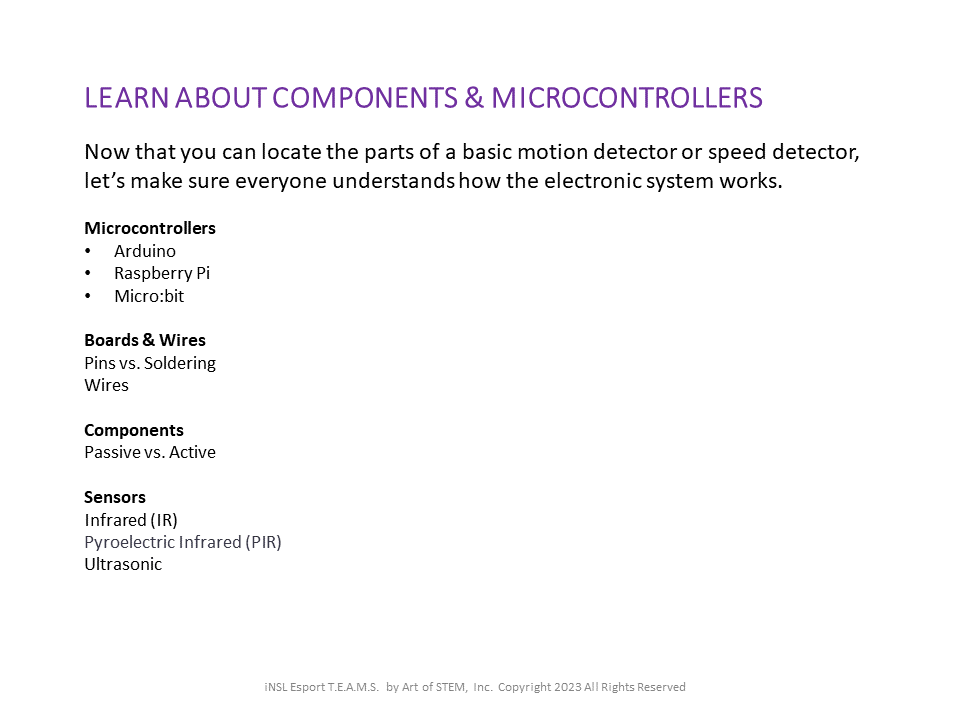
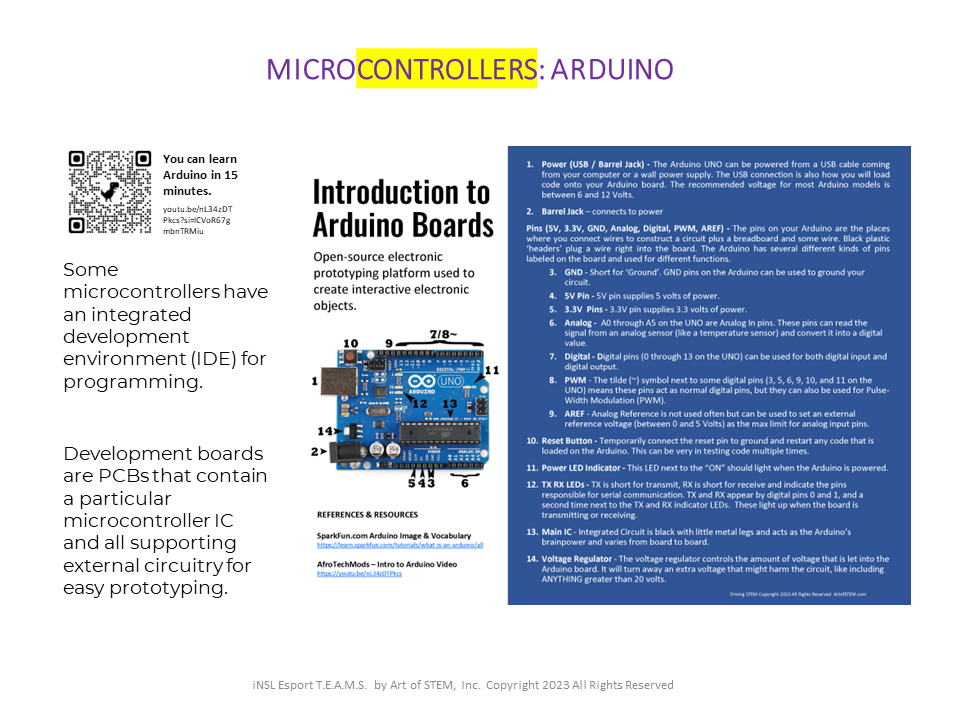
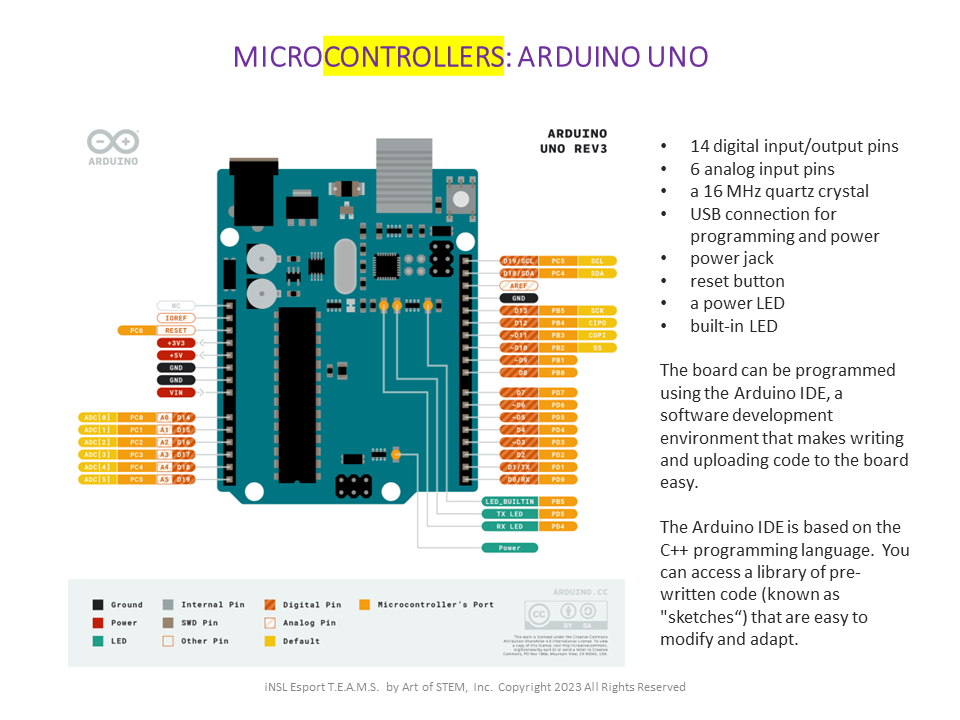
Microcontrollers
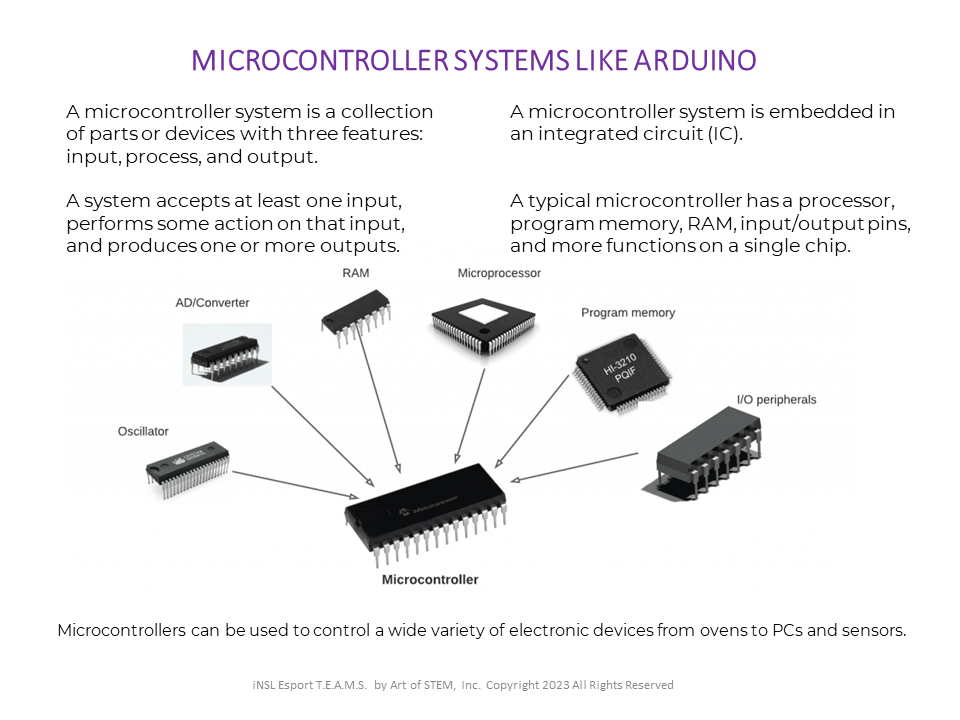
Microcontrollers can be used to control a wide variety of electronic devices from ovens to PCs and sensors. Microcontrollers are systems or collections of parts. Every piece of the microcontroller has input, process and output features. A system accepts at least one input, performs some action on that input, and produces one or more outputs.
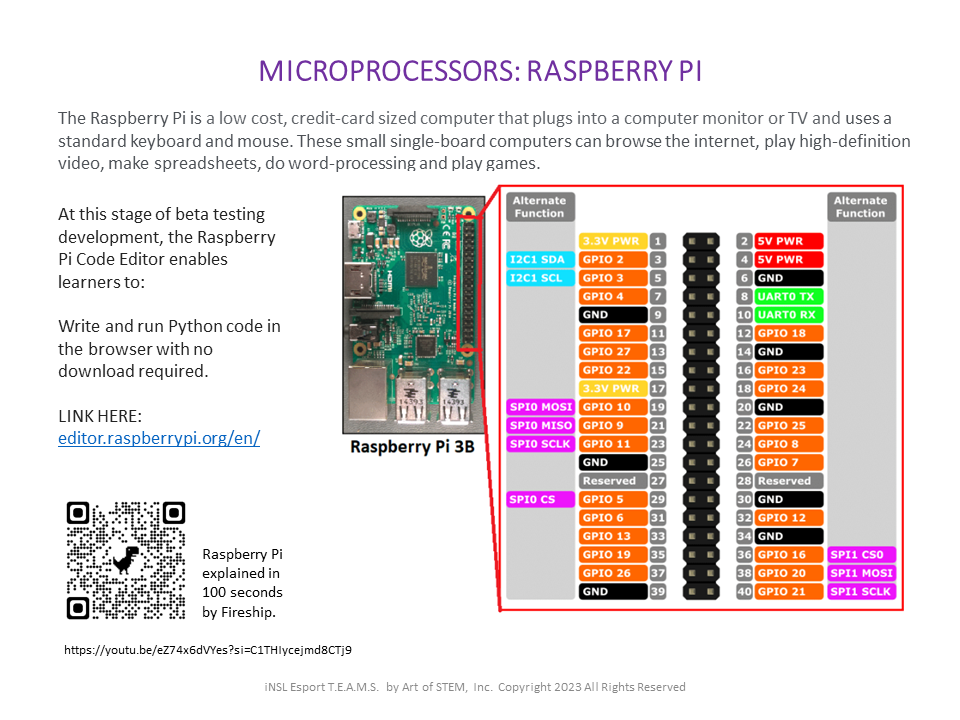
A typical microcontroller has a processor, program memory, RAM, input/output pins, and more functions on a single chip. Review or learn about the three major platforms used by students and makers around the world.
LOGBOOK: What is the difference between microPROCESSORS & microCONTROLLERS?
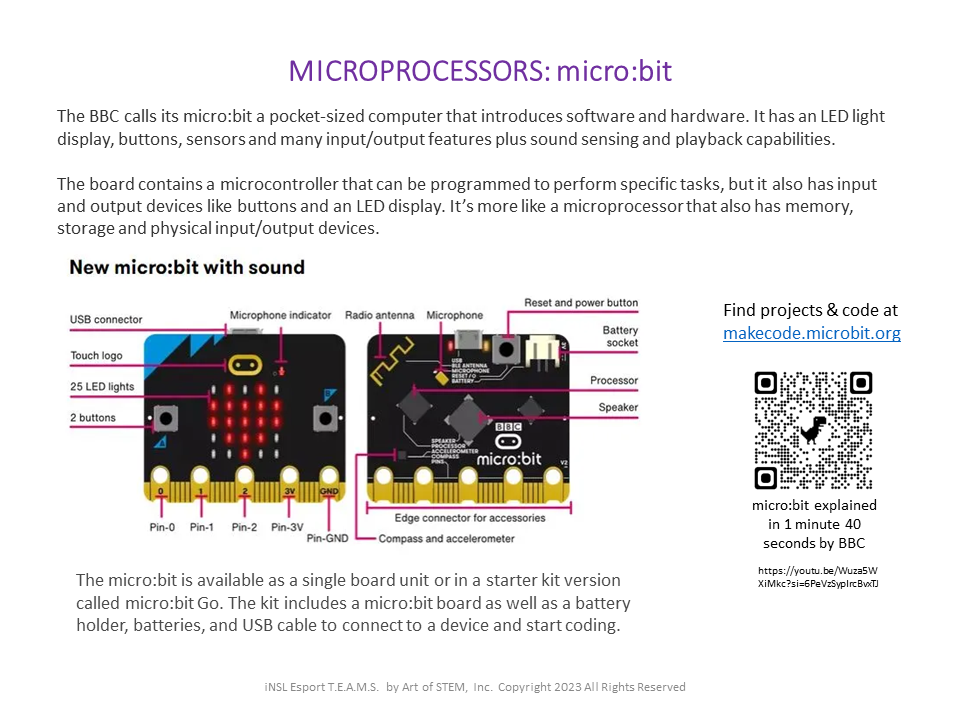
Boards & Traces
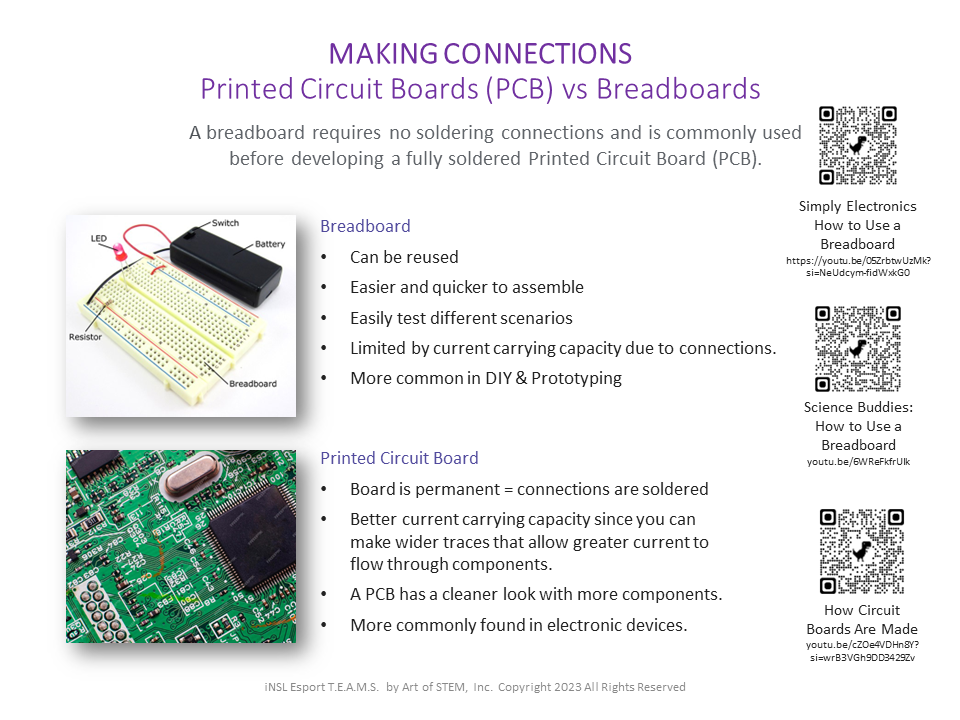
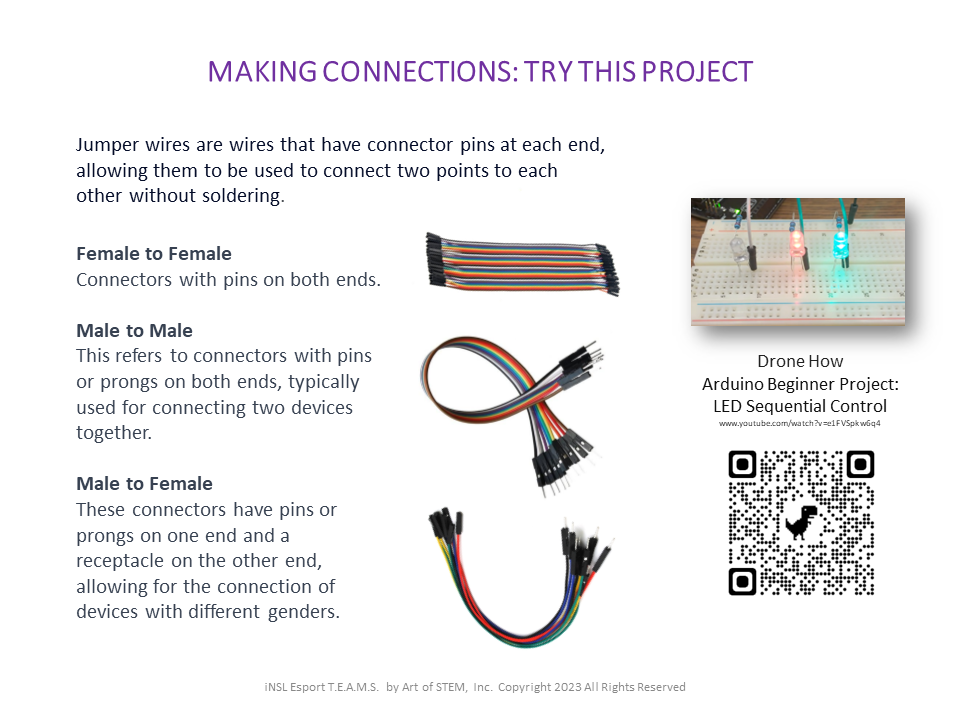
Components
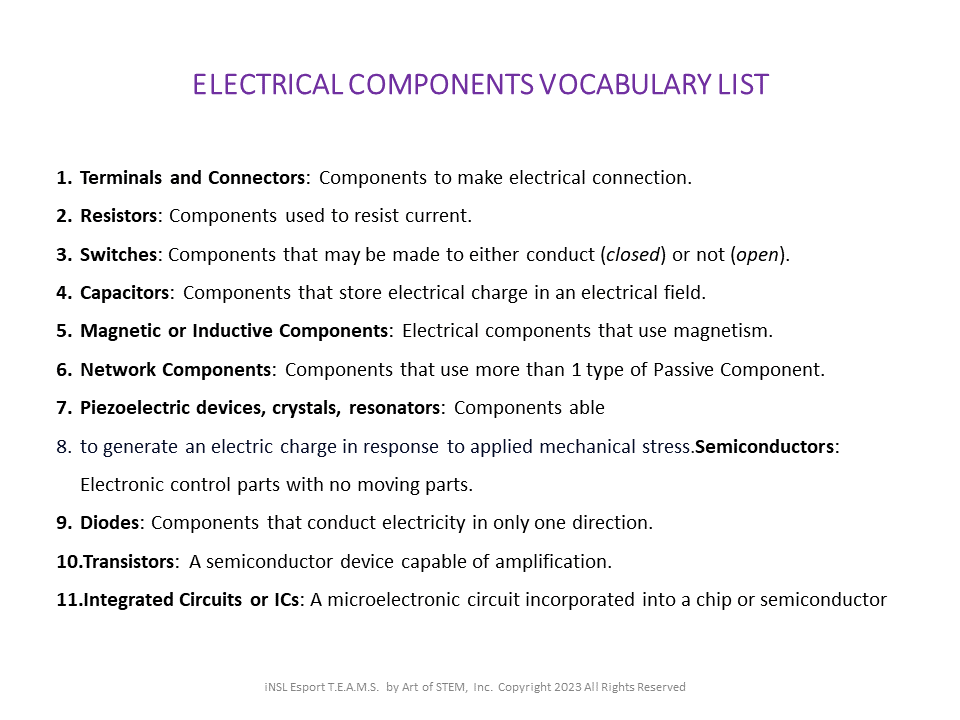
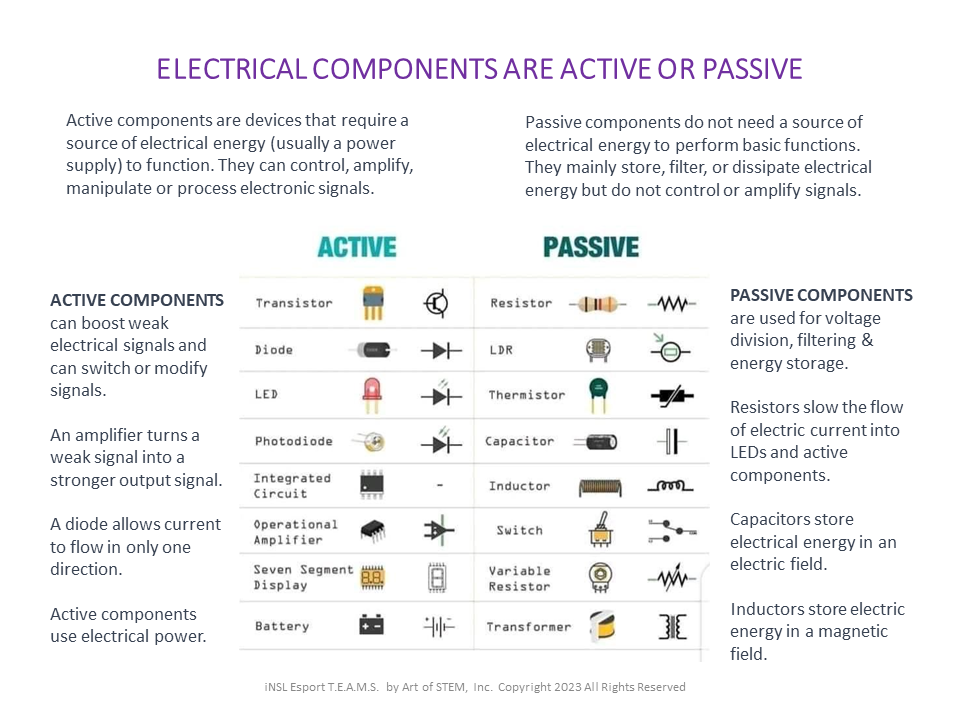
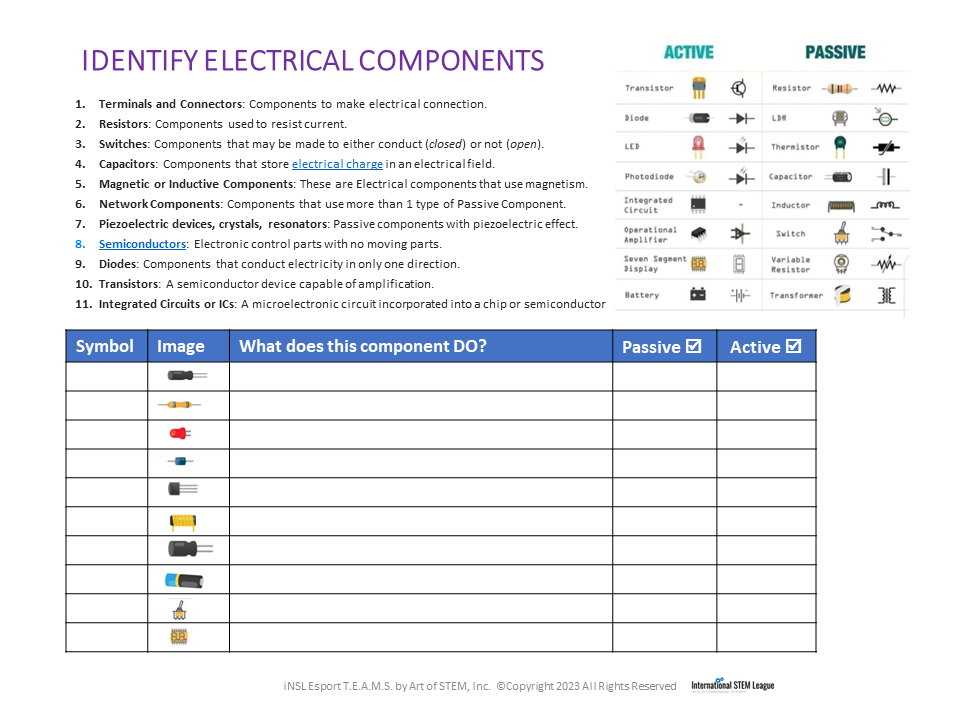
Active components are devices that require a source of electrical energy (usually a power supply) to function. They can control, amplify, manipulate or process electronic signals. Examples include transistors that switch signals and diodes like LEDs.
Passive components do not need a source of electrical energy to perform basic functions. They mainly store, filter, or dissipate electrical energy but do not control or amplify signals. Examples include switches that open and close circuits or capacitors and inductors that store energy.
Circuits & Diagrams
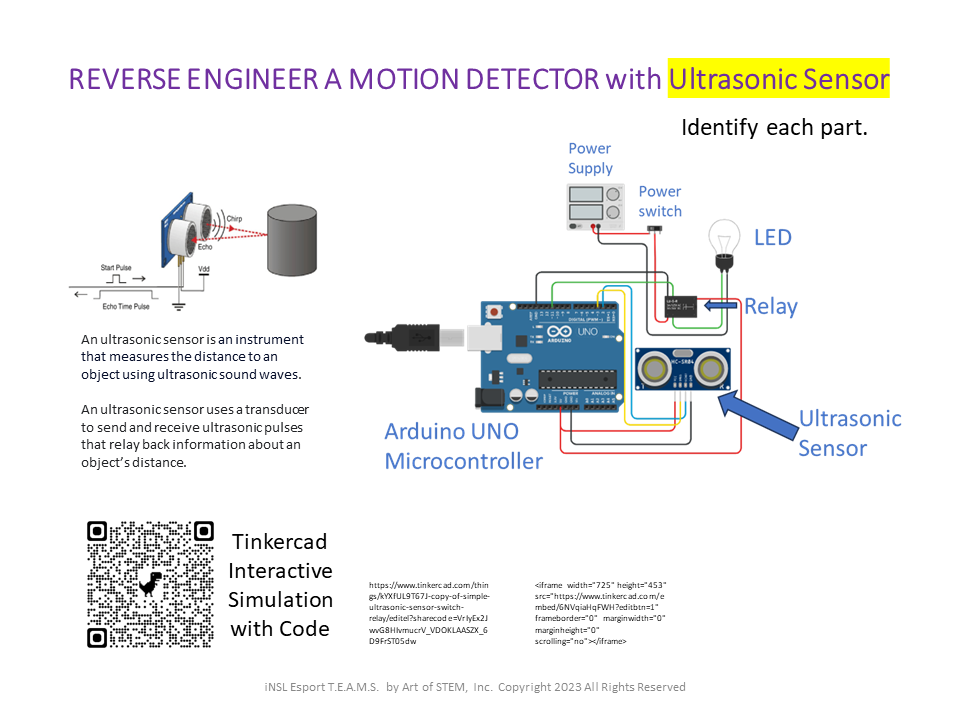
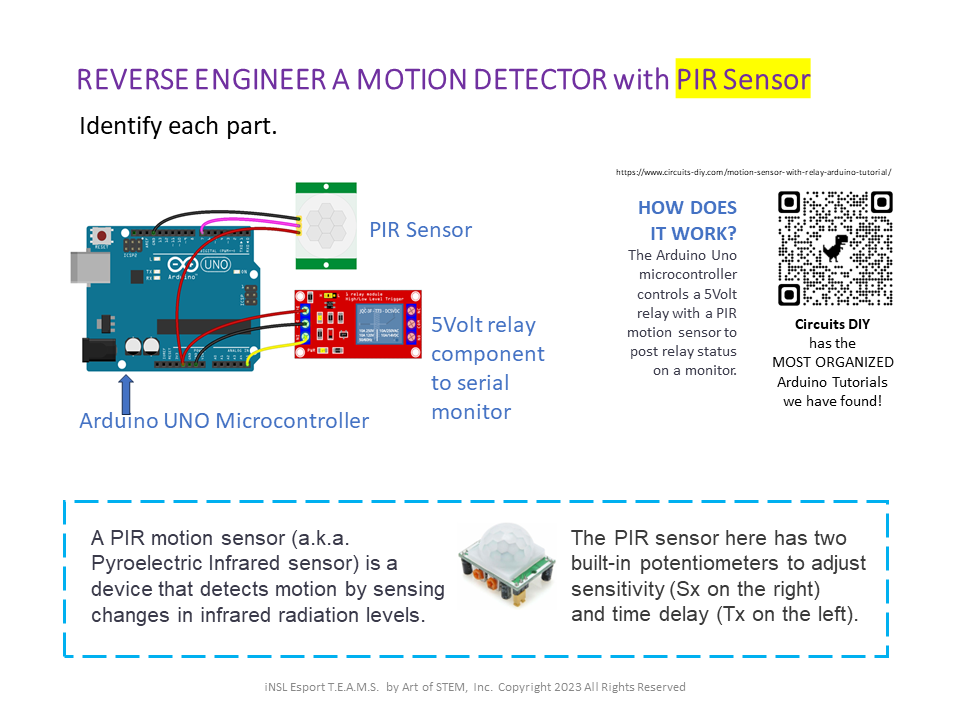
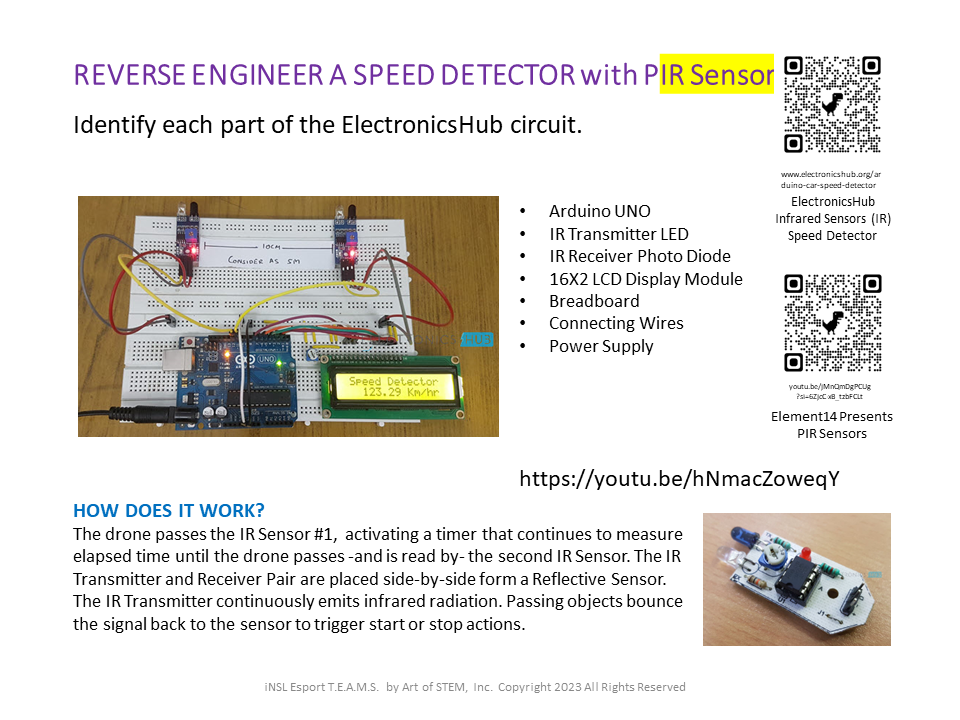
Sharing the “map” lets team members troubleshoot electronics without wasting materials. Start by tracing the wires from the main unit (microcontroller) along wires (traces) to components (passive or active) and power sources. Then do the same for each sample setup.
LOGBOOK ENTRY: What parts do all the following diagrams have in common? Note the components & sensors you already recognize and the ones you need to learn.
Choose your next session or return to home base.